Chapter 1. AI Isn’t Coming for Your Job – It’s Coming for Your Ticket Queue
Overview
- Purpose: What AI actually means for IT professionals in 2026 – separating the hype from the tools you can use today. Why IT workers have a structural advantage in adopting AI.
- You will learn: What AI can and cannot do for IT support, why help desk and sysadmin roles are changing (not disappearing), which free AI tools are available right now, and how to reframe AI as your most useful colleague.
- Tools needed: A computer with internet access, a free ChatGPT account (chat.openai.com), a free Claude account (claude.ai)
- Time to implement: 20 minutes to read and complete the exercise
The Story: “The Monday Morning Avalanche”
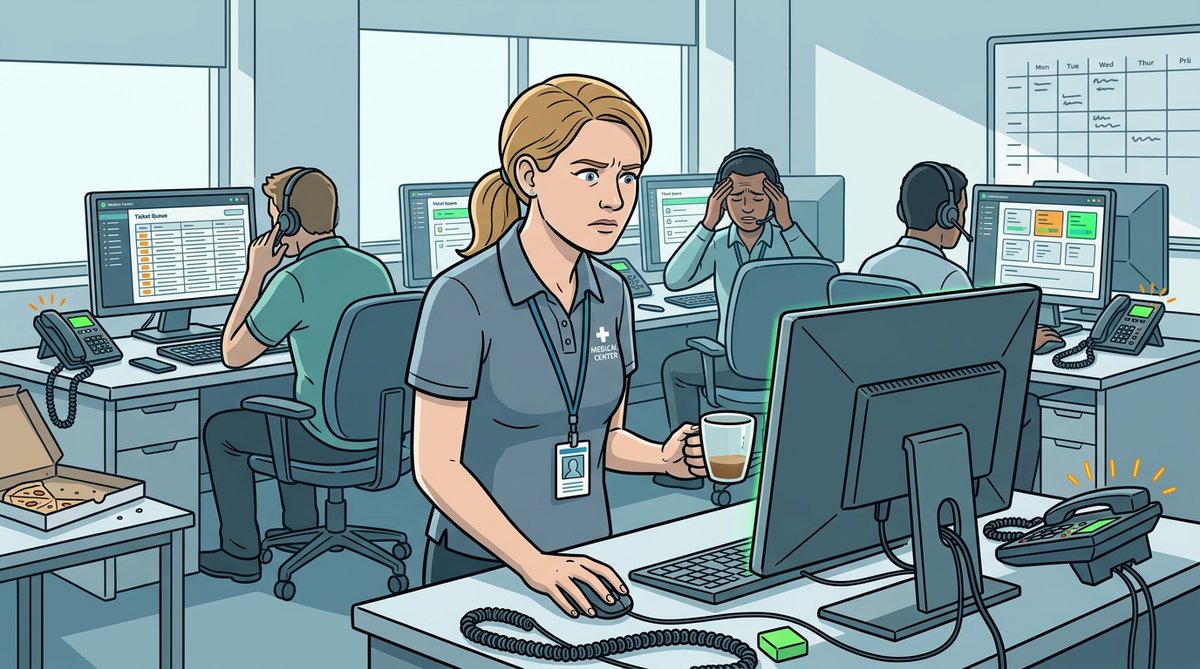
Dana Kowalski set her coffee on the desk at 7:14 AM and opened the Freshservice dashboard. The number in the red badge made her close her eyes for a moment. 147 unread tickets. It was Monday at Lakeview Regional Medical Center, and the EHR migration they had finished three weeks ago was still generating fallout. Password resets for the new system. Printer mapping failures on the third floor. A radiologist who could not access PACS images. A facilities manager whose badge stopped working after the directory sync. Her four-person help desk team would arrive in forty-five minutes, and she already knew the math did not work.
She started scrolling. Ticket after ticket blurred together – some urgent, some trivial, many duplicates. She flagged a ticket from Dr. Okafor, the chief of surgery, who could not sign prescriptions electronically. That was a patient safety issue and needed immediate attention. But it was buried between a request for a second monitor and a complaint about the Wi-Fi in the cafeteria. If she had missed it – if one of her techs had missed it – nobody would have known until a nurse called the help desk in a panic.
Dana pulled up the ticket volume report. Before the EHR migration, they averaged 60 tickets per day. Now they were running at 110, and it had been that way for three straight weeks. Her best technician, Marcus, had put in his two weeks the previous Friday. He did not say it was burnout. He did not have to. She was losing a person she could not replace, and the tickets kept coming. Somewhere between ticket 34 and ticket 35 that morning, she opened a browser tab and typed a question into ChatGPT: “How can AI help an overwhelmed IT help desk team?” The response was long. She skimmed it. Then she read it again, more carefully. Then she forwarded it to her manager with a single line: “We need to talk about this.”
The Headlines vs. The Reality
If you work in IT and have read any tech news in the past two years, you have probably seen some variation of these headlines: “AI Will Replace 80% of Help Desk Jobs.” “Customer Service Roles Face Mass Automation.” “The End of Level 1 Support.”
Here is what those headlines get right: AI is changing IT support. Significantly. The numbers are real. AI-powered self-service bots now resolve 54% of support issues overall and up to 96% of simple queries like password resets and VPN instructions. Organizations deploying AI in their service desks are seeing 40-50% reductions in resolution times and 80% fewer misrouted tickets. IT help desk tickets resolved without any human involvement rose 38% between 2023 and 2025.
Here is what those headlines get wrong: they confuse “changing” with “eliminating.” The reality is more nuanced and, frankly, more interesting.
Since 2023, AI has displaced roughly 420,000 customer service agent positions. But it has also created 180,000 new jobs in chatbot training, escalation handling, AI oversight, and prompt engineering. The roles are shifting, not vanishing. The help desk technician of 2020 who spent 60% of their day resetting passwords and walking users through printer setup is indeed being replaced – by a bot. But the technician who can configure that bot, train it on company-specific knowledge, handle the escalations it cannot solve, and manage the AI tools that power modern IT operations? That person is more valuable than ever.
Why IT Professionals Have a Structural Advantage
Here is something that most “AI is coming for your job” articles miss entirely: IT professionals are uniquely positioned to benefit from AI, for reasons that have nothing to do with luck.
You already think in systems. AI tools are systems. They have inputs, outputs, configurations, and failure modes. You troubleshoot systems for a living. When an AI tool gives a bad answer, your instinct to ask “what went wrong in the process?” is exactly the right instinct.
You understand data flow. When someone asks “is it safe to paste this log file into ChatGPT?” you already know how to think about that question. You understand where data goes, what it means for it to be stored externally, and why that matters for compliance. Most business users do not.
You are the integration layer. AI tools do not deploy themselves. Someone has to connect the chatbot to the ticketing system, configure the automation rules, manage the permissions, and fix it when it breaks. That someone is you.
You own the knowledge. Every AI-powered IT tool needs to be trained or configured with company-specific information – your network layout, your software stack, your escalation procedures, your user base. You are the person who has that knowledge or knows where to find it.
What AI Actually Does for IT Teams in 2026
Let us be specific. Here is what AI tools are doing for IT teams right now, not in some theoretical future, but in production environments today:
| IT Task | What AI Does | Time Saved |
|---|---|---|
| Ticket triage | Categorizes, prioritizes, and routes tickets automatically | 40-50% faster resolution |
| Password resets | Self-service bots handle resets without human involvement | 5-10 min per ticket |
| Error diagnosis | Interprets error codes and suggests troubleshooting steps | Minutes vs. hours of searching |
| Script writing | Generates PowerShell, Bash, and Python scripts from descriptions | Hours of manual coding |
| KB articles | Drafts documentation from ticket resolutions | 30-60 min per article |
| User communications | Writes outage notices, maintenance emails, and how-to guides | 15-30 min per message |
| Log analysis | Identifies patterns and anomalies in system logs | Hours of manual review |
None of these replace an IT professional. Every one of them makes an IT professional faster, less stressed, and more effective.
The Tools You Can Use Today (Free)
You do not need a budget to start using AI in your IT work. Here are the tools that matter:
| Tool | Best For | Cost | Access |
|---|---|---|---|
| ChatGPT (OpenAI) | General troubleshooting, script writing, documentation | Free tier with GPT-4o | chat.openai.com |
| Claude (Anthropic) | Detailed explanations, code review, long document analysis | Free tier available | claude.ai |
| Microsoft Copilot | M365-integrated tasks, quick lookups | Free with Microsoft account | copilot.microsoft.com |
| Google Gemini | Research, Google Workspace integration | Free with Google account | gemini.google.com |
| GitHub Copilot | Code and script generation in your editor | Free tier for individuals | github.com/features/copilot |
Start with one. ChatGPT or Claude are the best general-purpose starting points for IT work. You can explore the others later.
The Real Risk: Standing Still
Here is the uncomfortable truth that this book will not sugarcoat. The risk to your IT career is not that AI will replace you. The risk is that someone who knows how to use AI will replace you. 70% of sysadmins are actively seeking AI-related training right now. 45% already understand how to integrate AI into their daily roles, up from 34% a year ago. The gap between IT professionals who use AI and those who do not is widening every quarter.
Over 40% of all workers will need significant upskilling by 2030. In IT, that timeline is shorter. The tools are here now. The organizations that deploy them are already seeing results. And the IT professionals who learn to use them effectively are already getting promoted, getting hired faster, and handling workloads that would have been impossible two years ago.
This book is your starting point.
Try This Now (5 Minutes)
Open ChatGPT (chat.openai.com) or Claude (claude.ai) and paste this prompt:
I’m a help desk technician supporting 500 users in a mid-sized company. We use Microsoft 365, Active Directory, and a ticketing system. What are the top 5 ways I can use AI to save time in my daily work? Be specific – give me actual examples with real tool names, not generic advice.
Read the response. Pick one suggestion that sounds useful. That is your starting point for Chapter 2.
Key Takeaways
- AI is changing IT support roles, not eliminating them – the technology is automating repetitive tasks like password resets and ticket routing while creating demand for professionals who can manage, configure, and improve AI-powered systems.
- IT professionals have a structural advantage in AI adoption because you already think in systems, understand data flow, serve as the integration layer, and own the organizational knowledge that AI tools need to function.
- Free AI tools like ChatGPT, Claude, and Microsoft Copilot are available right now and can immediately save you time on troubleshooting, scripting, documentation, and user communication – no budget approval required.
This Week’s Action Items
Next Up
In Chapter 2, you will use AI to solve a real IT problem before lunch – decoding an error message, writing a script, or drafting a KB article – and see exactly how the workflow works from prompt to solution.