Chapter 1. AI for Nonprofits – What’s Real and What’s Hype
Overview
- Purpose: An honest overview of what AI can and cannot do for resource-constrained organizations, so you can make smart decisions about where to invest your time.
- You will learn: What AI actually is (in plain English), which nonprofit tasks it handles well today, where it falls short, and how to evaluate AI claims you encounter in the wild.
- Tools needed: None for this chapter – just your curiosity and a healthy dose of skepticism.
- Time to implement: 30 minutes of reading that will save you dozens of hours of chasing the wrong tools.
The Story: “The Board Meeting Question”
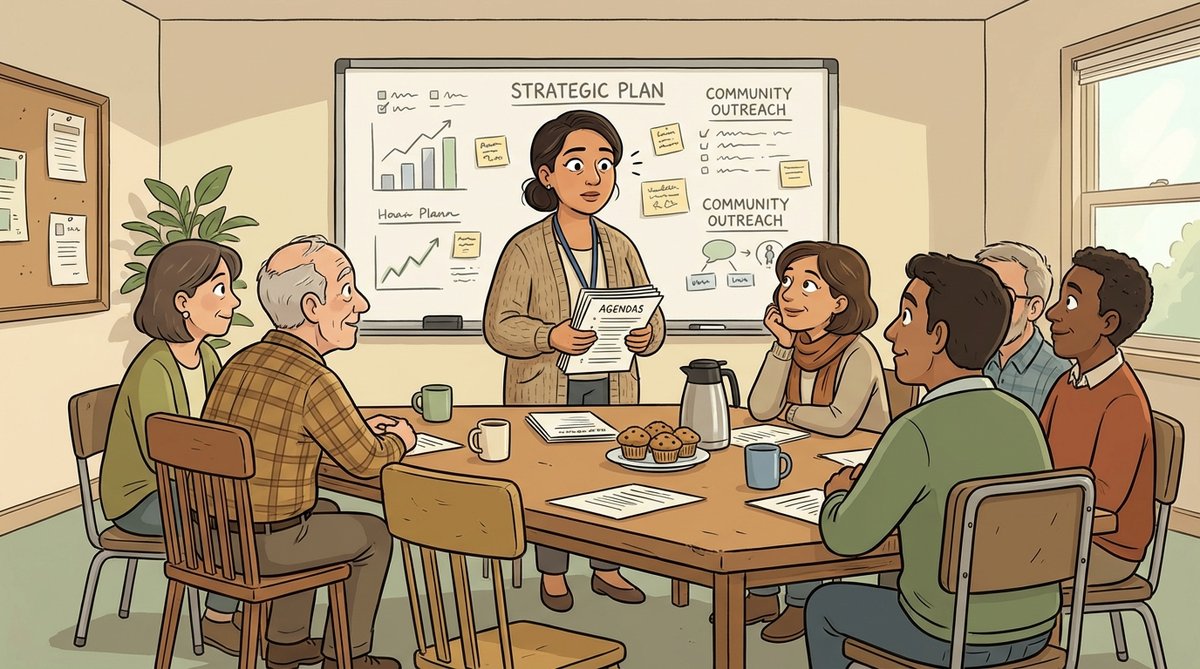
Elena Vasquez was fourteen slides into her quarterly board presentation when Gerald, the longest-serving board member at Bridge Community Services, raised his hand.
“Elena, I’ve been reading about AI everywhere. My nephew’s company just replaced half their marketing team with ChatGPT.” He leaned forward. “Are we using AI? Should we be? Because if it can cut costs, I want to know why we aren’t already doing it.”
The room went quiet. Elena felt the familiar tightness in her chest – the one that came with being an eight-person organization trying to serve four thousand families in Denver on a $1.2 million budget. She already wore the hats of executive director, HR manager, occasional grant writer, and sometimes the person who unjammed the copier. Now she was supposed to be an AI expert too?
“That’s a great question, Gerald,” she said, buying herself a moment. The truth was, she had been curious. She’d signed up for ChatGPT one Tuesday night after the kids went to bed, typed in “write me a grant proposal,” and gotten back something that sounded impressive but was filled with made-up statistics and programs her organization didn’t actually run. She’d closed the laptop and hadn’t gone back.
But Gerald’s question nagged at her on the drive home. Not because she felt behind – she’d survived twenty years in the nonprofit sector by knowing when to adopt and when to wait. What bothered her was that she didn’t have a framework for deciding. Was AI like social media in 2010, where early adopters gained real advantages? Or was it like blockchain in 2018, where nonprofits wasted thousands on solutions looking for problems?
That night, Elena made a list. Not of AI tools – she’d get to those later. She made a list of the tasks that ate her time: formatting board reports, summarizing program data for funders, drafting donor acknowledgment letters, researching new grant opportunities. Each one was important. None of them required her unique expertise. And that, she realized, was the right question: not “Should we use AI?” but “Which of my tasks could someone else do adequately, if that someone happened to be tireless, fast, and free?”
She didn’t know it yet, but that list would change everything about how Bridge Community Services operated.
What AI Actually Is (And Isn’t)
Let’s clear away the fog. When people say “AI” in 2024, they almost always mean one specific thing: large language models (LLMs) – the technology behind tools like ChatGPT, Claude, Google Gemini, and Microsoft Copilot. These are programs that predict the next word in a sequence, trained on enormous amounts of text from the internet.
That’s it. There’s no sentience. There’s no understanding. There’s a very sophisticated pattern-matching engine that produces remarkably useful text.
Here’s what that means for you in practical terms:
AI is good at:
- Drafting text – first drafts of emails, letters, reports, social media posts, and yes, sections of grant proposals
- Summarizing long documents – condensing a 40-page funder report into key points
- Reorganizing information – turning your messy notes into a structured outline
- Brainstorming – generating ideas, suggesting angles, offering options you hadn’t considered
- Translating tone – making a formal report more conversational, or a casual email more professional
- Answering questions about general topics – explaining concepts, defining terms, providing background
AI is not good at:
- Knowing anything about your specific organization – unless you tell it, explicitly, every time
- Providing accurate statistics – it will confidently fabricate numbers that sound plausible
- Replacing human relationships – your donors give because of trust, not because of perfect prose
- Making strategic decisions – it can list pros and cons, but it doesn’t understand your community
- Guaranteeing privacy – anything you type into a free AI tool may be used to train future models
- Doing your thinking for you – the output is only as good as what you put in
Think of AI as an enthusiastic intern who just graduated with a degree in “everything and nothing.” They can write quickly, they never complain, and they’re available at 2 AM. But they have no institutional memory, they’ll make things up rather than say “I don’t know,” and they need clear instructions and close supervision.
The Nonprofit AI Reality Check
Let’s be specific about what AI means for organizations like yours – the ones with small teams, tight budgets, and a mission that doesn’t wait for the technology to mature.
What the Hype Says vs. What’s Actually True
| The Hype | The Reality |
|---|---|
| “AI will write your grants for you” | AI can produce a first draft, but you’ll spend significant time fact-checking, adding your real data, and matching the funder’s voice. Net time savings: 30-50%, not 90%. |
| “AI replaces staff” | AI handles tasks, not jobs. Your program manager still needs to manage programs. AI might save her three hours a week on reporting. |
| “You need expensive tools” | The free tiers of ChatGPT, Claude, and Gemini are genuinely useful for most nonprofit tasks. You can accomplish a lot before spending a dollar. |
| “AI is too risky for nonprofits” | The risks are real but manageable. Chapter 3 covers exactly how to use AI responsibly with beneficiary and donor data. |
| “You need a tech person to use AI” | If you can write an email, you can use AI. The skill is in knowing what to ask for – and you already know your work better than any technologist. |
The Tasks That Pay Off First
Not every AI use case delivers equal value. After working with dozens of nonprofit teams, here are the tasks where AI consistently saves the most time for the least effort:
Donor communications – Thank-you letters, update emails, appeal language. AI excels at producing warm, personalized-feeling text at scale. Time saved: 2-4 hours per week for a development team.
Report summarization – Turning your program data into funder-ready narratives. AI is remarkably good at restructuring information you already have. Time saved: 3-5 hours per report.
Meeting preparation – Generating agendas, discussion questions, and background briefings. Time saved: 30-60 minutes per meeting.
Social media content – First drafts of posts, caption ideas, hashtag suggestions. Time saved: 1-2 hours per week.
Internal documentation – Turning informal processes into written procedures, creating onboarding guides, drafting policy language. Time saved: varies, but this is work that often never gets done otherwise.
The Tasks to Approach with Caution
Some uses of AI require more care – not because AI can’t help, but because the stakes of getting it wrong are higher:
- Grant proposals – AI can draft, but every claim must be verified against your real data. Funders can spot generic AI language, and submitting fabricated outcomes is a fast way to lose credibility.
- Client-facing communications – Anything going to beneficiaries, especially vulnerable populations, needs human review for tone, accuracy, and cultural sensitivity.
- Financial documents – AI can help format budget narratives, but never trust it with actual numbers. It will invent line items that don’t exist.
- Legal or compliance language – AI doesn’t know your state’s regulations or your specific funder requirements. Always have a human (ideally a professional) review.
Building Your AI Readiness Assessment
Before you touch any tool, take ten minutes to think about where you are right now. This isn’t a test – it’s a map.
Ask yourself these five questions:
What are my three most time-consuming recurring tasks? Write them down. Be specific. Not “fundraising” but “writing quarterly progress reports for our five major funders.”
Which of those tasks are mostly about processing information I already have? If you’re spending time reformatting, summarizing, or rewriting content that already exists somewhere, that’s prime AI territory.
Where do I have a quality problem because I don’t have enough time? Maybe your donor thank-you letters are generic because you can’t personalize 200 of them. Maybe your social media is inconsistent because nobody has time to post regularly. AI can help close quality gaps.
What’s my organization’s comfort level with new technology? Be honest. If your team is still adjusting to your new CRM, layering AI on top might cause more stress than savings. Start where people are willing, not where the technology is most impressive.
Do I have any data I absolutely cannot risk exposing? If you work with vulnerable populations – survivors of domestic violence, undocumented immigrants, minors in foster care – you need to read Chapter 3 before you use AI for anything work-related. The privacy considerations are serious and manageable, but they must come first.
Try This Now (5 Minutes)
Grab a piece of paper or open a blank document. Set a timer for five minutes and make two lists:
List 1: “Tasks That Eat My Time” Write down every recurring task you do that involves writing, summarizing, formatting, or reorganizing information. Don’t filter – just list. Include the embarrassing ones, like “rewriting the same program description for the fourth funder this month.”
List 2: “My AI Concerns” Write down every worry, question, or objection that comes to mind about using AI in your work. “What if the board finds out?” counts. “What if I become dependent on it?” counts. “What about our clients’ privacy?” definitely counts.
Keep both lists. We’ll come back to List 1 in Chapter 2 when you complete your first AI task. We’ll address every item on List 2 by the time you finish this book.
Key Takeaways
AI is a tool for tasks, not a replacement for people. It’s best at drafting, summarizing, and reorganizing text – the work that takes your time but not your unique expertise.
Start with skepticism, not enthusiasm. The organizations that get the most from AI are the ones that ask “What specific problem does this solve?” rather than “How do we get on the AI bandwagon?”
You don’t need a budget, a tech team, or permission to start exploring. Free tools are genuinely capable, the learning curve is gentle, and the best way to evaluate AI is to try it on a low-stakes task this week.
This Week’s Action Items
Next Up
In Chapter 2, we’ll roll up our sleeves. You’ll set up your free AI tools, learn the basics of writing good prompts, and complete your first genuinely useful AI task in fifteen minutes or less. No theory – just results.